


Zendesk is powerful, but it is not cheap. There is no free plan, the price is per agent, and the bill climbs fast as your team grows.
The AI costs extra, too. The Copilot add-on adds $50 per agent a month, and AI agents bill per resolution on top (Voiceflow's breakdown).
We tested 8 cheap Zendesk alternatives that cut that bill. RH Fardin wrote this guide, and Anatolii Ulitovskyi fact-checked it. We pulled prices from public pricing pages, ratings from G2 and Capterra, and real opinions from Reddit and YouTube, all as of June 2026.
Here is the honest verdict up front. Stay on Zendesk if you need enterprise scale and deep reporting; pick sem.chat if you want real AI, voice, and a CRM on a free-to-start plan with a price you can predict.
All 8 cheap Zendesk alternatives at a glance
Skim this table first. Zendesk sits at the top as the tool you are comparing against.
| Tool | Best for | Standout | Key limitation | Starts at | G2 |
|---|---|---|---|---|---|
| Zendesk (what you have) | Enterprise scale | Deep ticketing and reporting | No free plan; pricey per agent | $55/agent | 4.3 |
| sem.chat | Real AI + voice + CRM, cheap | Trained AI and voice on a free plan | Newer; small free message limit | $0 | New |
| Freshdesk | The best free full help desk | Real ticketing with a free tier | AI is a paid add-on | $0 | 4.4 |
| Zoho Desk | Most features per dollar | Cheap tiers, free for 3 agents | Best value inside the Zoho suite | $0 | 4.4 |
| Tawk.to | The cheapest option, period | Free for unlimited agents | AI and branding cost extra | $0 | 4.6 |
| LiveAgent | Cheapest paid, with phone | Ticketing, chat, and a call center | No free plan | $15/agent | 4.5 |
| Help Scout | Simple, human support | Cleanest shared inbox | Lighter on live chat and AI | $22/user | 4.4 |
| Crisp | Cheap flat rate for bigger teams | Unlimited agents at one price | No AI on the free plan | $0 | 4.5 |
| Tidio | Cheap ecommerce AI chat | Lyro AI and Shopify sync | Free AI cap is low | $0 | 4.6 |
The 8 best cheap Zendesk alternatives
Each tool below gets the same honest treatment: who it fits, how fast it goes live, one standout, one real limit, what the community says, how it compares to Zendesk, the price, and a clear bottom line.
1. sem.chat: best cheap real-AI upgrade (chat + voice + CRM) (88/100)
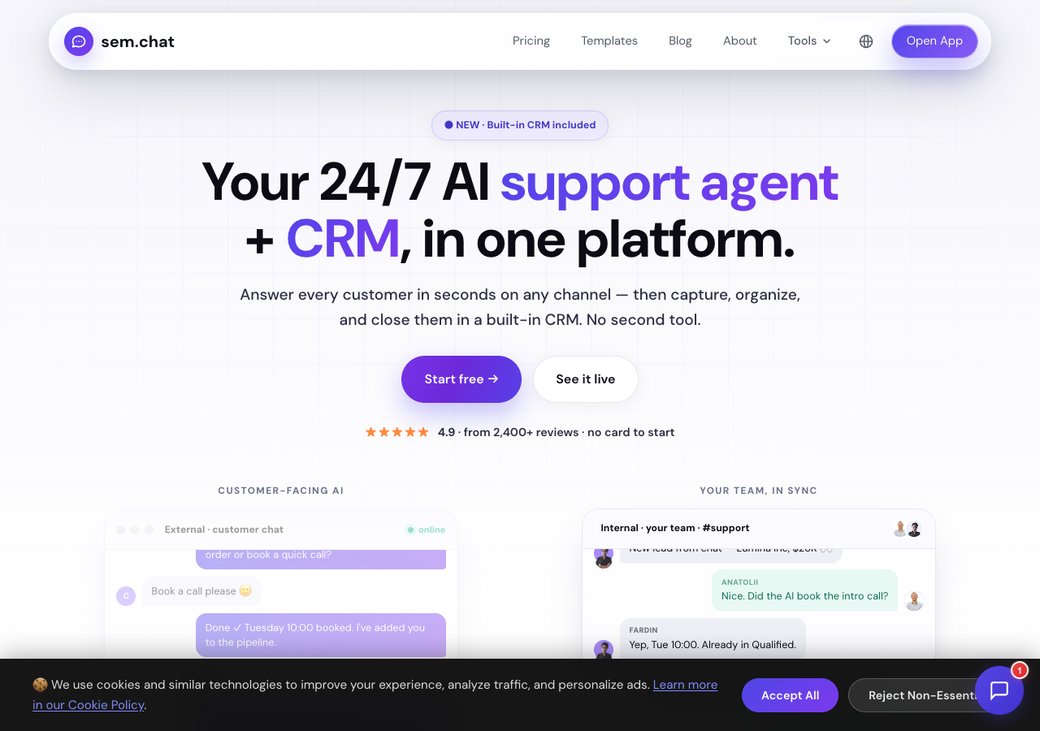
sem.chat is the cheap AI upgrade. It answers visitors with a bot trained on your content, by chat or by real-time voice, then saves them as contacts in a built-in CRM.
Who it is really for: a team that wants real AI and a CRM without Zendesk's per-agent bill or per-resolution AI fees.
Setup and time to live: you paste your website URL and the bot learns your content in minutes. There is no server to run and no card to enter.
Key features:
- AI chatbot trained on your website and docs, no per-resolution fee
- Real-time AI voice agents, with 3 free minutes a month
- Built-in CRM with deals and pipelines on every plan
- One inbox for web, WhatsApp, Instagram, Telegram, and Messenger
- Scheduling and 17-language auto-translation
Standout: a trained AI bot plus voice and a CRM on a free plan, with no per-agent or per-resolution AI bill.
Limitation (honest): sem.chat is newer with fewer reviews, and its free message limit is small at 100 a month. It is not a heavy enterprise ticketing suite like Zendesk.
What people say on Reddit & YouTube: sem.chat is newer, so Reddit chatter is still thin. Early users like getting a trained AI bot, voice, and a CRM on one free plan, instead of paying per agent and per resolution. Judge it on a hands-on trial of your own chats.
vs Zendesk: sem.chat wins on price, a trained bot, real-time voice, and a flat plan that does not charge per agent. Zendesk still wins on enterprise scale and deep reporting.
| Plan | Price (as of June 2026) | What you get |
|---|---|---|
| Free | $0 | 100 AI messages, 3 voice minutes, 1 bot, 1 site, CRM, no card |
| Launch | $24/mo | More messages and voice, badge removed |
| Growth | $59/mo | Higher volume, multi-channel, scheduling |
| Scale | $119/mo | High volume, more team seats |
| Enterprise | Custom | SSO, SLA, onboarding |
See the full tiers on the pricing page, and try our SaaS cost savings calculator.
| Pros | Cons |
|---|---|
| Trained AI bot, plus voice and a CRM | Newer, with fewer reviews |
| Flat pricing, not per agent | Small free message limit |
| Free plan, no card, no per-resolution AI fee | Not a heavy enterprise ticketing suite |
Bottom line: pick sem.chat if you want real AI, voice, and a CRM at a low, predictable price. Ready to try it on your own site? start free with no card.
2. Freshdesk: best free full help desk (84/100)
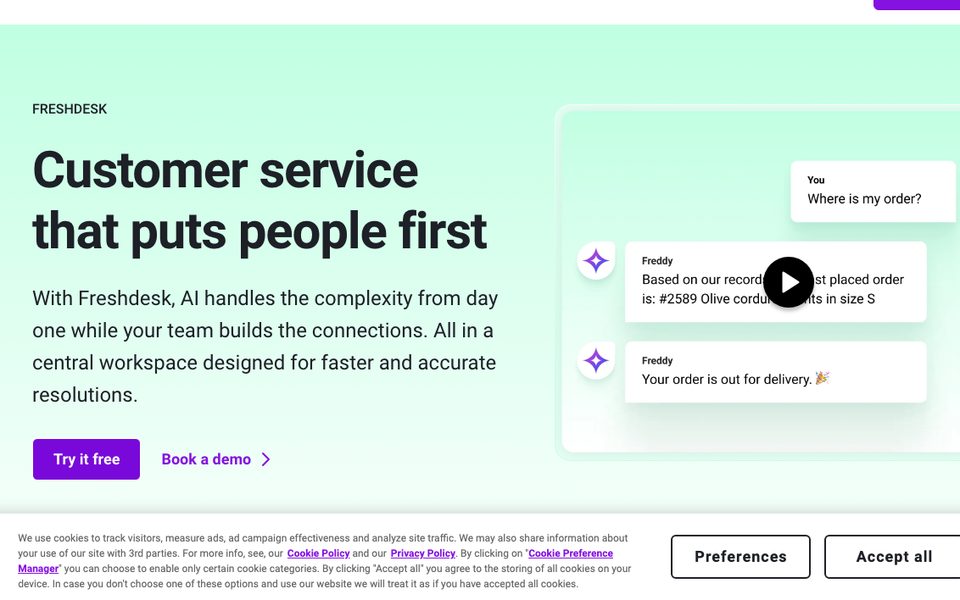
Freshdesk is the closest cheap match to Zendesk. It gives you ticketing, a knowledge base, and automation, with a free tier to start.
Who it is really for: a team that wants Zendesk-style ticketing without Zendesk's per-agent price.
Setup and time to live: the ticketing setup is quick, and most teams are live in a day. The AI (Freddy) is a paid add-on.
Key features:
- Ticketing, knowledge base, and automation
- A genuinely useful free tier
- Collision detection and clean ticket merge
- Freddy AI add-on for bots and assist
- Built-in Zendesk migration connector
Standout: a real help desk at a budget price, with a free plan Zendesk does not offer.
Limitation: the AI is a paid add-on, and the deeper tiers climb toward Zendesk territory (G2).
What people say on Reddit & YouTube: Reviewers call Freshdesk the most direct cheap Zendesk swap, with similar features for less (Plain). They praise collision detection and a clean merge, plus a built-in a built-in Zendesk connector with free migration support (ClonePartner's decision matrix).
vs Zendesk: Freshdesk matches most of Zendesk's ticketing for a lower price and adds a free tier. Zendesk still wins on enterprise reporting and its larger app ecosystem.
| Plan | Price (as of June 2026) | What you get |
|---|---|---|
| Free | $0 | Ticketing, knowledge base, small team |
| Growth | $15-19/agent/mo | Automation and SLAs |
| Pro | $55/agent/mo | Advanced routing and reporting |
| Enterprise | $89/agent/mo | Full scale and AI add-ons |
| Pros | Cons |
|---|---|
| Real help desk on a budget | AI is a paid add-on |
| Useful free tier | Higher tiers climb |
| Big app marketplace | Can feel feature-heavy |
Bottom line: pick Freshdesk if you want Zendesk-style ticketing for less, with a free tier. Watch the AI add-on and higher-tier pricing.
3. Zoho Desk: most features per dollar (82/100)
Zoho Desk is the value champion. It offers omnichannel support, automation, and self-service at some of the lowest paid prices here.
Who it is really for: a small, budget-first team, especially one already using other Zoho apps.
Setup and time to live: setup is quick, and the free plan covers 3 agents. The full value shows once you adopt the wider Zoho suite.
Key features:
- Omnichannel ticketing and self-service
- Free plan for up to 3 agents
- Zia AI for sentiment, anomalies, and auto-tagging
- Blueprints that enforce a consistent process
- Free Zwitch migration from Zendesk
Standout: the most features per dollar, often 40 to 50 percent cheaper than rivals at mid tiers (ClonePartner's decision matrix).
Limitation: you get the most value inside the Zoho ecosystem, and the UI can feel busy (G2).
What people say on Reddit & YouTube: Reviewers call Zoho Desk the value pick, with a 20-agent team near $460 a month versus $980 on a rival (ClonePartner's decision matrix). They praise Zia and blueprints, and the free Zoho's Zwitch migration tool for moving off Zendesk (Gurusup).
vs Zendesk: Zoho Desk undercuts Zendesk at every paid tier and adds a free plan. Zendesk still wins on polish, scale, and its app marketplace.
| Plan | Price (as of June 2026) | What you get |
|---|---|---|
| Free | $0 | 3 agents, email ticketing, help center |
| Express / Standard | $7-14/agent/mo | Channels and automation |
| Professional | $23/agent/mo | Multi-department, reporting |
| Enterprise | $40/agent/mo | Advanced AI and customization |
| Pros | Cons |
|---|---|
| Lowest paid tiers here | Best inside the Zoho suite |
| Free plan for 3 agents | UI can feel busy |
| Deep CRM and suite links | AI is lighter than rivals |
Bottom line: pick Zoho Desk if you want the most features per dollar, especially within Zoho. Skip it if you want the simplest standalone tool.
4. Tawk.to: the cheapest option, period (80/100)
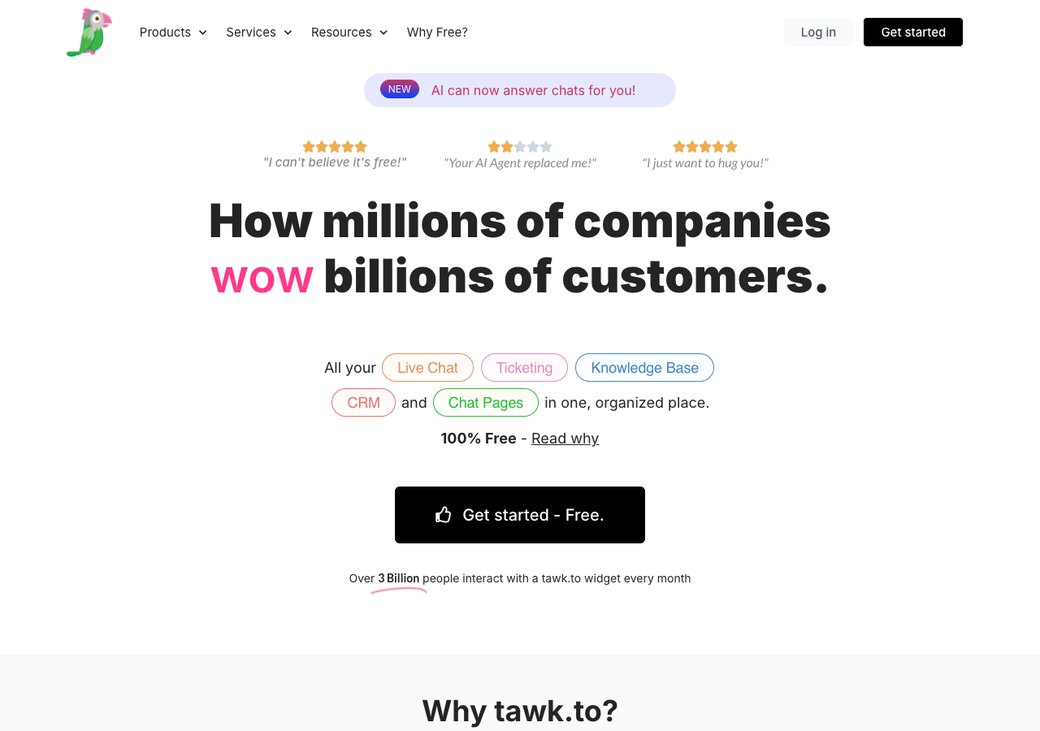
Tawk.to is the budget king. The core live chat is free for unlimited agents, with no per-seat cost at all.
Who it is really for: a small team or solo founder that needs live chat on a tight or zero budget.
Setup and time to live: you paste one script and the widget is live in minutes. Paid extras unlock branding removal and AI.
Key features:
- Free live chat for unlimited agents
- Ticketing and a knowledge base
- Mobile and desktop apps
- AI Assist add-on at $29 a month
- Remove-branding add-on at $19 a month
Standout: truly free for unlimited agents, which no full help desk here matches.
Limitation: it is chat-first, and AI plus branding removal cost extra (G2).
What people say on Reddit & YouTube: Reviewers and YouTube round-ups call Tawk.to the most budget-friendly pick, free with no per-seat cost (eesel). The trade-off they note is a lighter feature set than a full help desk.
vs Zendesk: Tawk.to wins on raw price, since it is free for unlimited agents while Zendesk charges per seat. Zendesk wins on ticketing depth, reporting, and native AI.
| Plan | Price (as of June 2026) | What you get |
|---|---|---|
| Free | $0 | Live chat, unlimited agents, ticketing |
| Remove branding | $19/mo | Hide the Tawk.to badge |
| AI Assist | $29/mo | Add AI replies and help |
| Hired agents | From $1/hr | Optional human agents |
| Pros | Cons |
|---|---|
| Free for unlimited agents | Chat-first, not a full suite |
| Fast, simple setup | AI costs extra |
| Ticketing and knowledge base included | Branding removal costs extra |
Bottom line: pick Tawk.to if price is the only thing that matters and chat is enough. Add the paid extras only when you truly need them.
5. LiveAgent: cheapest paid help desk with phone (77/100)
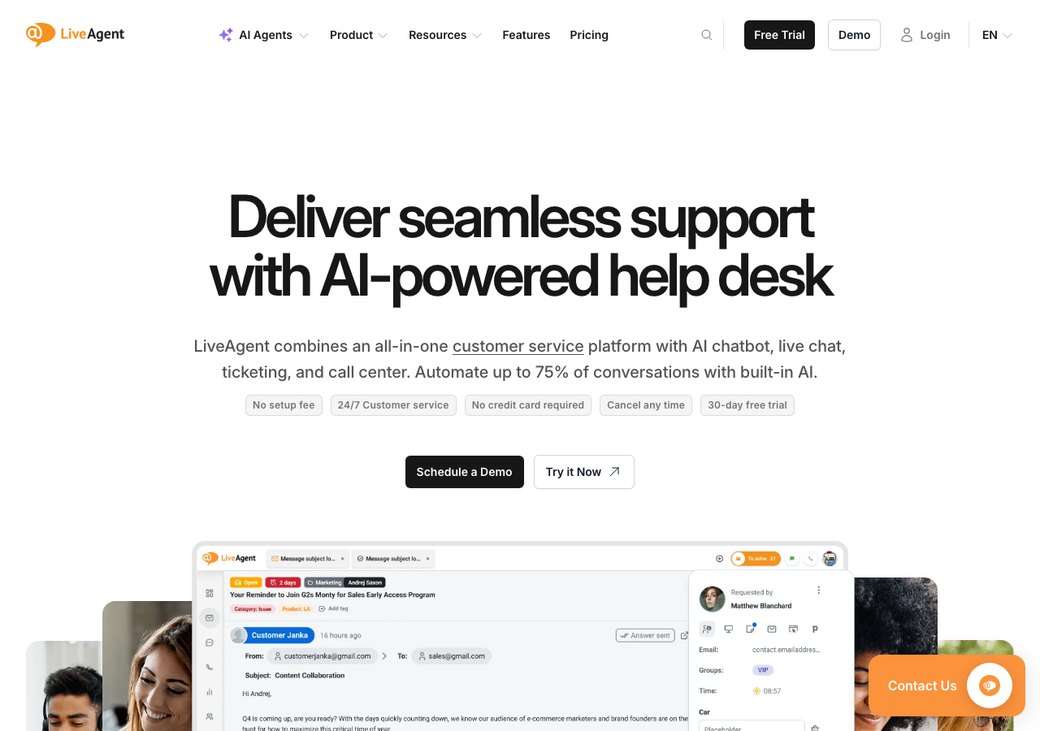
LiveAgent is the cheap all-in-one. It bundles ticketing, live chat, and a built-in call center from a low per-agent price.
Who it is really for: a team that wants phone support plus chat and tickets without Zendesk's cost.
Setup and time to live: setup is quick, and the apps are stable. Phone support starts on the Medium Business tier.
Key features:
- Ticketing, live chat, and a knowledge base
- Built-in call center on higher tiers
- AI answer assistant and chatbot
- Automation rules and a customer portal
- Low per-agent pricing
Standout: one of the cheapest ways to get a real call center alongside chat and tickets.
Limitation: there is no free plan, and phone features need the Medium tier (G2).
What people say on Reddit & YouTube: Reviewers praise LiveAgent's value, with ticketing, chat, and phone for as little as $15 an agent (eesel). They rate it highly on G2, with the main gripe a dated interface and the call center reserved for higher tiers.
vs Zendesk: LiveAgent gives you chat, tickets, and phone for a fraction of Zendesk's price. Zendesk still wins on reporting depth and its ecosystem.
| Plan | Price (as of June 2026) | What you get |
|---|---|---|
| Small Business | $15/agent/mo | Ticketing, live chat, AI assist |
| Medium Business | $29/agent/mo | Adds the call center |
| Large Business | $49/agent/mo | Advanced features and roles |
| Enterprise | $69/agent/mo | Full scale and support |
| Pros | Cons |
|---|---|
| Cheapest paid help desk with phone | No free plan |
| All-in-one ticketing and chat | Phone needs the Medium tier |
| AI assist included low | UI feels dated to some |
Bottom line: pick LiveAgent if you want chat, tickets, and phone for the lowest paid price. Skip it if you need a free plan.
6. Help Scout: best simple, human support (76/100)
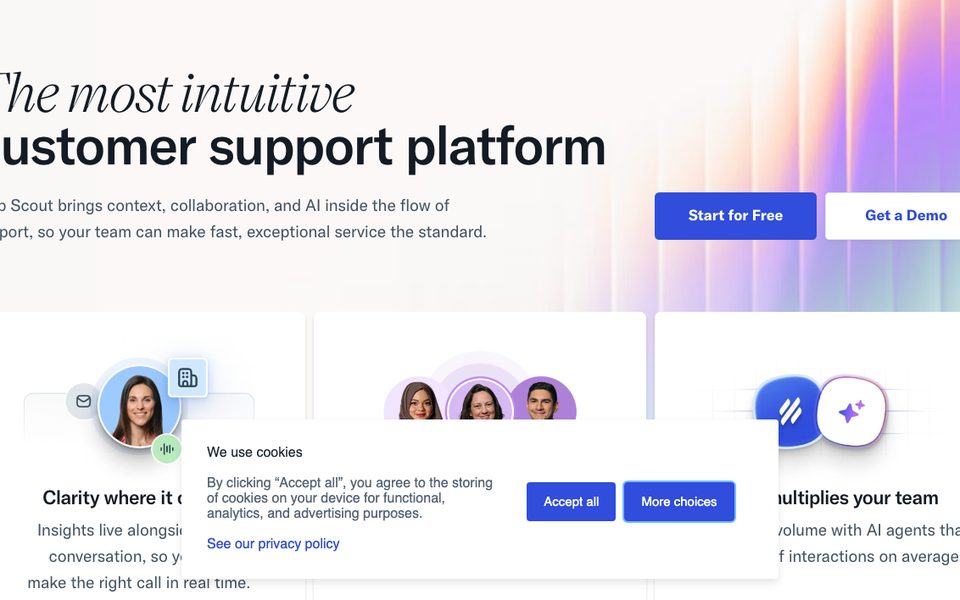
Help Scout keeps support simple and human. It feels like a shared email inbox, not a heavy ticketing tool.
Who it is really for: a small B2B team that wants a clean, email-first inbox at a fair price.
Setup and time to live: it is one of the fastest tools here to learn. Your team is answering on day one.
Key features:
- A clean, email-style shared inbox
- Knowledge base (Docs)
- Live chat (Beacon) widget
- Simple automation and reports
- AI summaries and drafts
Standout: the simplest, most pleasant help desk to use.
Limitation: it is lighter on live chat and AI than Zendesk, and there is no real-time voice (G2).
What people say on Reddit & YouTube: Reviewers love Help Scout's simplicity and clean inbox, and call it great value for small teams (ProProfs). The wish is for deeper chat and AI (G2).
vs Zendesk: Help Scout is simpler, cheaper, and more human than Zendesk for email support. Zendesk wins on omnichannel depth, automation, and scale.
| Plan | Price (as of June 2026) | What you get |
|---|---|---|
| Standard | $22/user/mo | Shared inbox, Docs, Beacon chat |
| Plus | $44/user/mo | More mailboxes and reporting |
| Pro | $65/user/mo | Advanced features and SLAs |
| Pros | Cons |
|---|---|
| Simplest, most human help desk | Lighter on live chat |
| Fast to learn | No real-time voice |
| Clean shared inbox | Per-user pricing adds up |
Bottom line: pick Help Scout if you want simple, human, email-first support. Skip it if you need heavy automation or voice.
7. Crisp: cheapest flat rate for bigger teams (75/100)
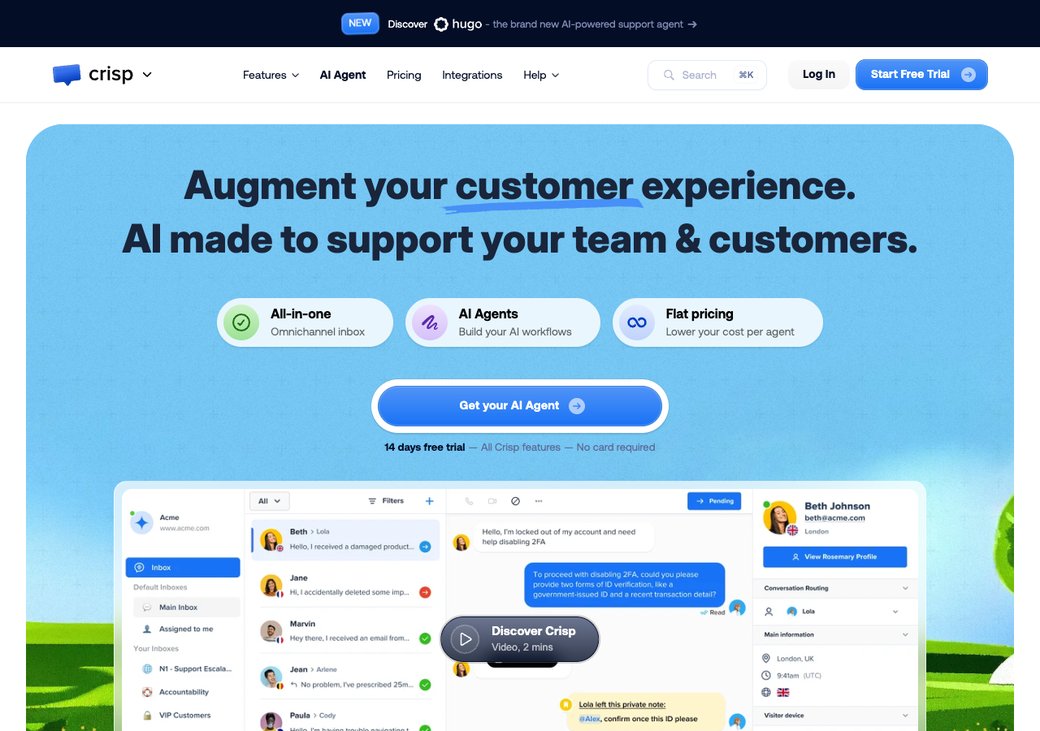
Crisp brings a modern look and a flat price. Its top plan covers unlimited agents for one monthly fee, not per seat.
Who it is really for: a growing team that wants to stop paying per agent as it hires.
Setup and time to live: install takes minutes, and the apps are well rated. AI and workflows start on the paid plans.
Key features:
- Modern omnichannel shared inbox
- Flat pricing for unlimited agents on top tier
- Chat, email, and social in one place
- Chatbot and AI on paid plans
- Mobile and desktop apps
Standout: a flat, unlimited-agent price that beats per-seat tools as you grow.
Limitation: the free plan has no AI, and only 2 seats (G2).
What people say on Reddit & YouTube: Reviewers call Crisp a modern, flat-rate upgrade that gets cheaper per seat as you scale (Missive). The common wish is for AI on the free plan (G2).
vs Zendesk: Crisp's flat unlimited-agent price undercuts Zendesk badly for bigger teams. Zendesk wins on reporting, routing, and enterprise features.
| Plan | Price (as of June 2026) | What you get |
|---|---|---|
| Free | $0 | 2 seats, chat, email, social inbox |
| Pro | ~$25/mo | Adds chatbot and more seats |
| Unlimited | ~$95/mo | Unlimited agents, all features |
| Pros | Cons |
|---|---|
| Flat price for unlimited agents | No AI on the free plan |
| Modern omnichannel inbox | Free plan caps at 2 seats |
| Easy setup | Fewer enterprise features |
Bottom line: pick Crisp if a flat, unlimited-agent price suits your growing team. Skip it if you need AI without paying.
8. Tidio (Lyro): cheapest ecommerce AI chat (79/100)
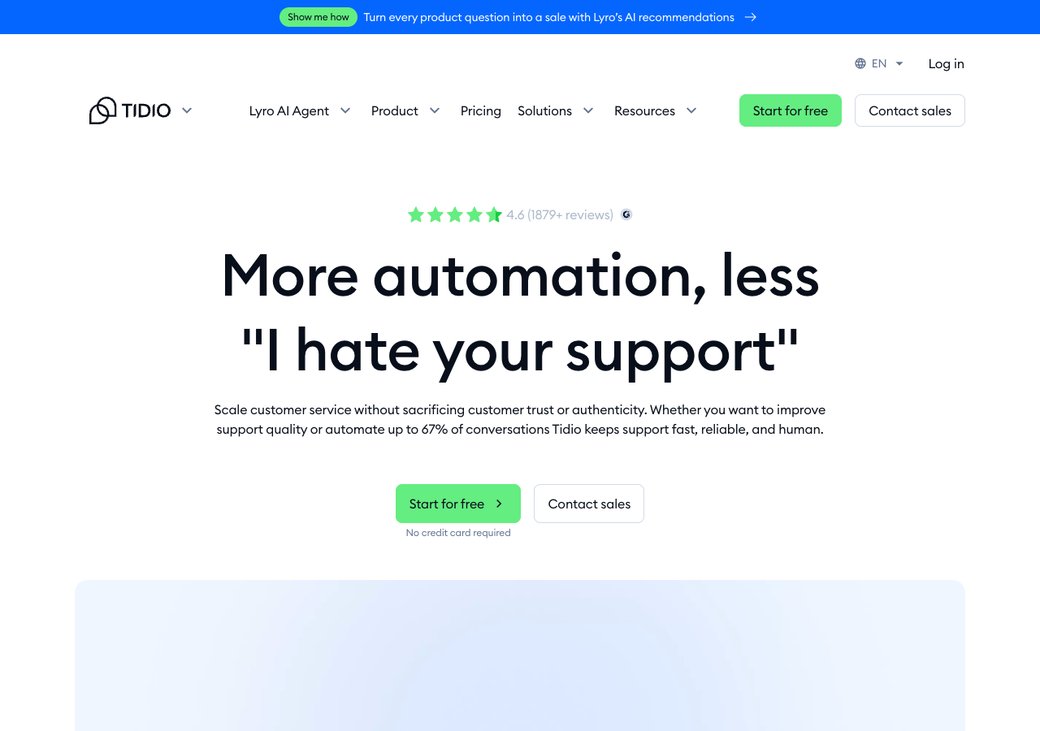
Tidio blends live chat, chatbot flows, and the Lyro AI agent. Its free plan includes 50 Lyro AI conversations to try.
Who it is really for: a small online store that wants cheap live chat plus AI.
Setup and time to live: the Shopify and website install takes minutes, and the visual Flows builder needs no code. See our full Tidio alternatives guide.
Key features:
- Lyro AI agent, free for 50 conversations
- Visual chatbot flows with templates
- Live chat with visitor tracking
- Web, Messenger, WhatsApp, and Instagram
- Deep Shopify and ecommerce sync
Standout: a real AI agent on a free plan, plus strong ecommerce fit.
Limitation: the free AI runs out fast, and add-ons raise the real price (G2).
What people say on Reddit & YouTube: Reviewers and YouTube round-ups praise the Flows builder and ecommerce fit (G2). The repeated warning is that add-ons inflate the bill.
vs Zendesk: Tidio gives a store cheap AI chat with a free trial of Lyro. Zendesk wins on ticketing, reporting, and large-team scale.
| Plan | Price (as of June 2026) | What you get |
|---|---|---|
| Free | $0 | Live chat, 50 Lyro AI conversations |
| Starter | $29/mo | Live chat, basic automation |
| Growth | $59/mo | More seats and analytics |
| Add-ons | +Lyro, +Flows | Stack on any plan |
| Pros | Cons |
|---|---|
| Free AI conversations to test | Free AI cap is low |
| Strong ecommerce and Shopify fit | Add-ons inflate the price |
| Huge review base | Weak for voice or enterprise |
Bottom line: pick Tidio if you run a store and want cheap AI chat. Watch the add-ons, which push the bill up fast.
Sources: Zendesk's own pricing page (Suite Team price), Voiceflow's breakdown (Copilot add-on), Plain (5-agent example), Tawk.to (free), Nextiva (chat abandonment).
- Per-agent pricing: you pay a fee for each human login, every month, so the bill grows with your team.
- Per-resolution AI: you pay each time the AI fully solves a ticket, so the AI cost rises with volume.
- Automated resolution: one conversation the AI closes without a human, which is the unit Zendesk bills, at about $1.50 to $2.00 each.
- Annual lock-in: a yearly contract that trims the price but ties you in for the full term.
- Onboarding or SOW fee: a one-time setup charge for paid implementation help, which can run into the thousands.
- Free plan vs free trial: a free plan never expires; a free trial ends after a set number of days.
- Omnichannel: one inbox for web chat, email, WhatsApp, and social, in one place.
- Deflection rate: the share of questions solved without a human, so your team handles less work.
Why teams leave Zendesk in 2026
Zendesk is a strong, mature platform. The trouble for most teams is the total cost.
There is no free plan. You get a 14-day trial, then pay per agent, starting at $55 on Suite Team (Zendesk's own pricing page).
The price climbs with your team. Suite Professional is $115 an agent, and Enterprise is custom and higher (Zendesk's own pricing page).
The AI costs extra on top. Copilot adds $50 per agent a month, and AI agents bill per resolution (Voiceflow's breakdown).
That per-resolution fee is real money. It runs about $1.50 for committed volume and $2.00 pay-as-you-go, so a busy bot adds up fast (CorePiper's AI-pricing breakdown).
A 2026 billing change made it sharper. Zendesk now auto-bills every resolution over your committed volume, with no cap, no grace period, and no prior-month warning (CorePiper's AI-pricing breakdown).
The all-in bill surprises teams. One breakdown puts a 20-agent team at about $80,000 a year once AI resolutions are counted (CorePiper's AI-pricing breakdown).
Add-ons stack up, too. Quality assurance, workforce management, and data privacy each add $25 to $50 per agent, and together run 15 to 35 percent of the bill (Sparrowdesk).
Support access frustrates some buyers. Reviewers report spending tens of thousands a year yet struggling to reach a human, plus auto-renewals and slow cancellation (Ringly).
- Reviewers say Zendesk has no free plan, with paid Suite tiers starting at $55 an agent. (Zendesk pricing)
- The Copilot AI add-on costs $50 per agent a month, on top of the plan. (Voiceflow)
- AI agents bill per resolution at about $1.50 committed, or $2.00 pay-as-you-go. (CorePiper)
- Since January 2026, overages auto-bill with no cap, grace period, or prior warning. (CorePiper)
- One breakdown puts a 20-agent team at about $80,000 a year all-in with AI. (CorePiper)
- Add-ons run 15 to 35 percent of the total Zendesk bill, and are easy to miss. (Sparrowdesk)
- Analyses report paid onboarding from around $8,000, or more with a consultant. (Supplo)
- Reddit users say Zendesk keeps raising prices, with constant upsells on add-ons. (Ringly)
- One reviewer reported spending almost $60K a year yet could not call support. (Missive)
- Buyers describe auto-renewals and cancellation requests left unanswered for months. (Supplo)
- For 5 agents, Freshdesk costs about $75 a month versus roughly $275 on Zendesk. (Plain)
- A YouTube round-up walks through the cheapest Zendesk alternatives for 2026. (YouTube)
What Zendesk really costs
The sticker price is only the start. Here is the full picture, straight from Zendesk's own pricing page.
| Zendesk cost | The detail (as of June 2026) |
|---|---|
| Free plan | None; a 14-day trial only |
| Entry pricing | Support Team $19/agent; Suite Team $55/agent |
| Higher tiers | Suite Professional $115/agent; Enterprise custom |
| AI add-on | Copilot at $50 per agent a month |
| AI agents | About $1.50 per resolution committed, $2.00 pay-as-you-go |
| Other add-ons | Quality assurance, workforce management, and data privacy, per agent |
Now put real numbers on it. The table below shows the monthly base cost at three team sizes, before any per-resolution AI.
| Team size | Zendesk Suite Team ($55/agent) | Suite Pro + Copilot ($165/agent) | sem.chat (flat tier) |
|---|---|---|---|
| 5 agents | $275/mo | $825/mo | $24 to $59/mo |
| 20 agents | $1,100/mo | $3,300/mo | $59 to $119/mo |
| 50 agents | $2,750/mo | $8,250/mo | Custom |
Read the contrast carefully. Zendesk bills per agent, so the price climbs with every hire, and per-resolution AI stacks on top.
The all-in number is the shock. Once you count AI resolutions, one breakdown puts a 20-agent team near $80,000 a year, far above the per-agent sticker (CorePiper's AI-pricing breakdown).
sem.chat bills by usage tier, not per agent, so adding seats does not inflate the plan. Its free plan also includes a trained AI bot and 3 voice minutes, with no per-resolution fee.
The hidden costs of Zendesk
The plan price hides the real bill. These extras catch teams off guard, so budget for them before you commit.
| Hidden cost | The detail (as of June 2026) |
|---|---|
| Onboarding | Premier onboarding from about $8,000; consultants run $150 to $300 an hour (Supplo) |
| AI overage | $1.50 to $2.00 per resolution, auto-billed over your committed volume since January 2026 (CorePiper's AI-pricing breakdown) |
| Add-ons | Contact Centre and data privacy $50 each, quality assurance $35, workforce management $25, per agent (Sparrowdesk) |
| Sandbox | A safe test environment is reserved for the Enterprise tier (Supplo) |
| Annual lock-in | About 20 percent off for an annual commitment, but you are tied in for the term (Supplo) |
| Cancellation | Reviewers report auto-renewals and slow cancellation (Ringly) |
Add it all up and the extras matter. Analyses say add-ons alone run 15 to 35 percent of the total Zendesk bill (Sparrowdesk).
What you give up if you leave Zendesk
Be honest before you switch. Zendesk does a few things most cheap rivals do not.
First, it scales to large teams. Routing, queues, and permissions hold up at high ticket volume (G2).
Second, the reporting runs deep. Custom dashboards and analytics go further than most budget tools (eesel).
Third, the ecosystem is huge. Zendesk connects to more than 1,000 apps out of the box (Zendesk).
So weigh this honestly. If you lean on heavy reporting, complex routing, or a large enterprise stack, factor that into your move.
What Reddit and YouTube say about leaving Zendesk
We read public reviews, community threads, and video walkthroughs to see why teams move. A few themes repeat (Ringly, Missive).
The loudest theme is cost shock. Reviewers say prices keep rising and the per-agent model eats the budget for basic tickets (Ringly).
The second theme is add-on fatigue. AI, quality assurance, and workforce management each add a separate fee (eesel).
The third theme is support access. Reviewers report large annual bills yet trouble reaching a human (Missive).
The fourth theme is relief after moving. Teams say the switch is easier than feared, since Zoho and Freshdesk both offer free migration tools (ClonePartner's decision matrix).
- Teams say Zendesk is powerful but too expensive once the per-agent bill and add-ons stack up. (Ringly)
- The January 2026 auto-billing of AI overages made the unpredictable cost a bigger worry. (CorePiper)
- Freshdesk is the most-named cheap swap, with similar features for less. (Plain)
- Zoho Desk comes up as the value pick, often 40 to 50 percent cheaper at mid tiers. (ClonePartner)
- Budget-first teams move to free tools like Tawk.to or Freshdesk's free tier. (eesel)
- Teams flag paid onboarding and slow cancellation as reasons they delayed leaving sooner. (Supplo)
- Zoho's Zwitch and Freshdesk's Zendesk connector move tickets and history in 1 to 2 weeks. (Zoho Zwitch)
- Video walkthroughs compare Zendesk pricing against cheaper help desks before you commit. (YouTube)
- Long-time users still praise Zendesk's scale, routing, and reporting depth. (G2)
Cheap Zendesk alternatives: full feature comparison
This matrix lines up all nine tools on the features that decide most switches. Scan your must-haves down the columns.
| Tool | Trained AI bot | AI voice | Free plan | Flat (not per-agent) | WhatsApp + Instagram | Built-in CRM | G2 |
|---|---|---|---|---|---|---|---|
| Zendesk (now) | Add-on | No | No | No | Yes | Partial | 4.3 |
| sem.chat | Yes | Yes | Yes | Yes | Yes | Yes | New |
| Freshdesk | Add-on (Freddy) | No | Yes | No | Yes | Via Freshsales | 4.4 |
| Zoho Desk | Add-on (Zia) | No | Yes, 3 agents | No | Yes | Via Zoho CRM | 4.4 |
| Tawk.to | Add-on | No | Yes | Yes | Via apps | Light | 4.6 |
| LiveAgent | AI assist | No | No | No | Yes | Light | 4.5 |
| Help Scout | Summaries | No | No | No | Limited | Light | 4.4 |
| Crisp | Paid only | No | Yes, 2 seats | Yes, flat | Yes | Light | 4.5 |
| Tidio | Yes (Lyro) | No | Yes | No | Yes | Light | 4.6 |
One row stands out on value. sem.chat is the only tool here with a trained bot, real-time voice, and a built-in CRM on a free plan, at a flat price.
How we scored the 8 tools
We scored each tool out of 100 on 5 weighted criteria. Pricing and value count the most, since this is a cheap-alternative guide.
The weights are: Pricing and value 30, AI and automation 25, Channels and voice 15, Ease and setup 15, and CRM and reporting 15.
No tool is perfect. sem.chat leads on price and AI value, but its free message limit is smaller than Freshdesk's free ticketing.
How to choose
Map your need to a pick instead of guessing. The grid below does it in one glance.
| If you want... | Pick |
|---|---|
| Real AI bot + voice + a CRM, cheap | sem.chat |
| Enterprise scale and deep reporting | Stay on Zendesk |
| The best free full help desk | Freshdesk |
| The most features per dollar | Zoho Desk |
| The cheapest option, period | Tawk.to |
| Cheapest paid, with phone | LiveAgent |
| Simple, human email support | Help Scout |
| A flat rate for unlimited agents | Crisp |
| Cheap ecommerce AI chat | Tidio |
The map shows the trade-off plainly. Zendesk sits in the expensive corner, while sem.chat leads on AI at a low price.
sem.chat vs Zendesk, head to head
This is the comparison most readers came for. Both put a chat widget and an inbox on your site.
The difference is price and AI. sem.chat adds a trained bot, real-time voice, and a flat plan that Zendesk's per-agent model does not match.
| Feature | sem.chat | Zendesk | Freshdesk |
|---|---|---|---|
| Free plan | Yes | No | Yes |
| Trained AI bot to start | Yes | Paid add-on | Paid add-on |
| Real-time AI voice | Yes | No | No |
| Flat pricing (not per agent) | Yes | No | No |
| Built-in CRM | Yes | Partial | Via Freshsales |
Be fair about it. Zendesk still wins if you need enterprise scale, deep reporting, and a huge app ecosystem.
sem.chat wins when you want real AI, voice, and a CRM at a low, predictable price.
How to test a cheap alternative before you switch
A cheap tool is only a bargain if it fits your real workflow. Spend an afternoon testing before you move.
Run through this checklist with any pick above.
- Add up the real monthly cost, including AI, add-ons, and every seat, not just the sticker price.
- Put it on one page first, not your whole site, so you can watch it handle live chats.
- Test the AI on real questions, to see if it learns your content or just follows flows.
- Check your channels, like WhatsApp or Instagram, are covered on the plan you want.
- Export your Zendesk data, to confirm tickets, macros, and contacts carry over.
- Test the mobile app, so you can reply when you are away from your desk.
- Read the data and privacy page, especially if you handle customer details under GDPR.
How to switch from Zendesk
Moving off Zendesk takes a few days, not weeks. Run both side by side during the change.
Follow these steps in order.
- Use a free migration tool, like Zoho's Zoho's Zwitch migration tool or Freshdesk's a built-in Zendesk connector, to move tickets, contacts, and history.
- Save your macros and help articles, so your team keeps its fast answers.
- Train the new tool on your website or help-center URL, then test 10 real questions.
- Pilot on one queue first, and keep Zendesk live in parallel.
- Rebuild key reports in the new tool, since reporting depth varies.
- Cut over by swapping the chat widget on your site.
Plan for a one to two week move with ticket history intact, since the official tools handle the heavy lifting (ClonePartner's decision matrix).
Time it around your renewal. An annual contract locks you in, so start the switch before it auto-renews (Supplo).
The main friction is reporting and routing. If you rely on deep Zendesk dashboards, plan where that lives after you move.
Want pre-built playbooks to start with? Browse our free templates and our features page.
Frequently asked questions
Does Zendesk have a free plan?
No. Zendesk offers a 14-day free trial, then paid plans from $19 per agent for Support and $55 for Suite Team. For a real free plan, look at sem.chat, Freshdesk, Zoho Desk, Tawk.to, or Crisp.
What is the cheapest Zendesk alternative?
Tawk.to is the cheapest, since its core live chat is free for unlimited agents. sem.chat is the cheapest with a real trained AI bot and voice on a free plan.
How much does Zendesk cost for 5 agents?
On Suite Team at $55 an agent, 5 agents is about $275 a month before AI. Freshdesk runs roughly $75 a month for the same team size.
How much does Zendesk cost for 20 agents?
On Suite Team, 20 agents is about $1,100 a month. Add Suite Professional and the Copilot AI add-on and it climbs to about $3,300 a month.
Which cheap alternative has the strongest AI?
sem.chat offers a trained bot and real-time voice on a free plan. Tidio's Lyro and Freshdesk's Freddy are also strong, though AI there is metered or a paid add-on.
Which is the best free full help desk?
Freshdesk is the best free full help desk, with real ticketing and a knowledge base. Zoho Desk is a close second, free for up to 3 agents.
Is Freshdesk cheaper than Zendesk?
Yes. Freshdesk has a free tier and runs about 15 to 30 percent cheaper than the matching Zendesk tier, per public comparisons.
How much does Zendesk AI cost?
The Copilot add-on costs $50 per agent a month, and AI agents bill about $1.50 per resolution committed, or $2.00 pay-as-you-go. Heavy volume can add thousands a month, so model it before you commit.
What changed with Zendesk billing in 2026?
Since January 2026, Zendesk auto-bills every AI resolution over your committed volume. There is no cap, no grace period, and no prior-month warning, so watch the meter.
Does Zendesk charge for onboarding?
It can. Analyses report Premier onboarding from around $8,000, and third-party consultants at $150 to $300 an hour. Cheaper tools like Freshdesk and Zoho Desk offer free migration support.
Is it hard to cancel Zendesk?
Some reviewers say yes. Common complaints include automatic renewals and cancellation requests that go unanswered, so plan your exit before the annual renewal.
How long does migrating off Zendesk take?
Usually one to two weeks with ticket history. Zoho's Zwitch and Freshdesk's built-in connector move tickets, contacts, and attachments for free.
Is Freshdesk or Zoho Desk cheaper?
Zoho Desk is usually cheaper, often 40 to 50 percent less at mid tiers. A 20-agent team runs about $460 a month on Zoho Professional versus $980 on Freshdesk Pro.
Do these alternatives support WhatsApp and SMS?
Most support WhatsApp and social channels, though SMS varies by plan. Check each tool's channel list on the tier you want.
Can I keep phone support if I leave Zendesk?
Yes. LiveAgent includes a built-in call center from its Medium tier, and several tools integrate phone through add-ons.
How long does switching take?
Usually a few days. Export your data, pilot on one queue, run both in parallel for a week, then swap the widget.
Will I lose my reports if I switch?
You may need to rebuild them. Zendesk's reporting is deep, so plan to recreate key dashboards in the new tool.
Is my customer data safe on these tools?
Read each tool's privacy and security page before you commit. Most major tools offer GDPR terms and encryption.
Can I run two tools at once while I migrate?
Yes, for a short pilot. Keep Zendesk live on most queues, test the new tool on one, then cut over once you are happy.
Is Zendesk worth the price?
For large teams that need scale, routing, and deep reporting, yes. For small and mid teams, a cheaper tool usually covers the same daily work for far less.
What is the best cheap Zendesk alternative overall?
For real AI, voice, and a CRM at a low price, sem.chat is our pick. Freshdesk wins for free ticketing, and Tawk.to for raw price.
Do cheap tools handle high ticket volume?
Many do, up to a point. Freshdesk, Zoho Desk, and LiveAgent scale well, while Zendesk still leads at true enterprise volume.
Does sem.chat replace a full help desk?
It replaces the chat, AI, and CRM layer for most small and mid teams. For heavy enterprise ticketing, pair it with or keep a dedicated help desk.
Final verdict
There is no single winner, because "best" depends on what you need. The picks below match the most common goals.
| Use case | Best pick |
|---|---|
| Real AI bot + voice + CRM, cheap | sem.chat |
| Enterprise scale | Zendesk |
| Best free full help desk | Freshdesk |
| Most features per dollar | Zoho Desk |
| Cheapest, period | Tawk.to |
| Cheapest paid with phone | LiveAgent |
| Flat rate, unlimited agents | Crisp |
| Cheap ecommerce AI chat | Tidio |
If Zendesk's per-agent bill has outgrown your budget, start with sem.chat. It answers by chat and voice and saves the lead in a CRM, all without a card.
Start free with sem.chat, or compare every tier on the pricing page. You can also read our best Zendesk alternatives and Freshchat alternatives guides, plus our ROI calculator.




